Beta-Tester gesucht: Prüfpläne mit calScript schreiben und den Messplatz mit dem calServer Runner steuern.Bei der Beta mitmachen

MET/TEAM® end of support

MET/TEAM® is being discontinued. Your calibration history is not.

Fluke is discontinuing MET/TEAM® on 2026-12-31, and support ends in 2029 at the latest. calServer already syncs with MET/TEAM® in both directions today. You switch while both systems run, and stop when you are ready.

  • Two-way sync with any number of MET/TEAM® instances
  • Parallel operation instead of cut-off day risk
  • History, customers, locations and results come along
  • You keep starting MET/CAL® from the calibration
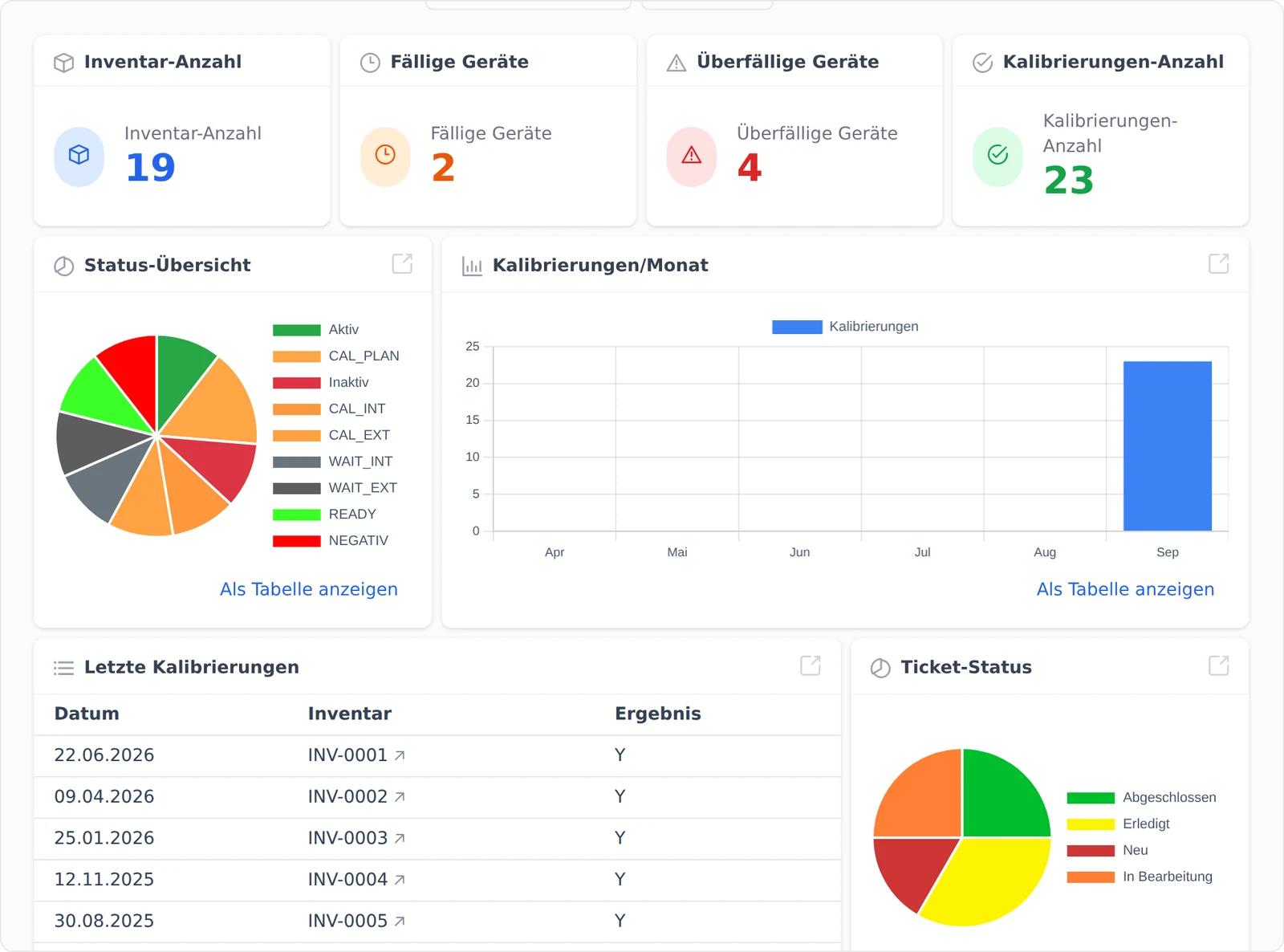
calServer dashboard with figures on inventory and due calibrations

What Fluke has announced

According to Fluke's MET/TEAM® status page and support schedule (retrieved October 2026). Fluke's current information is what counts.

2026-12-31
End of product for MET/TEAM®, and end of support for 3.3.0 and 3.3.1
12/2028
End of phone and email support for 3.4.0, the last listed version
2029-12-31
End of all support for MET/TEAM®

Three routes, you set the pace

No switch overnight. Each route can later lead into the next.

MET/TEAM® stays, calServer is added

Keep running with sync

calServer keeps instruments, calibrations, results, customers and locations in sync with all MET/TEAM® databases. Your people already work in calServer, and MET/CAL® workstations keep running.

  • Two-way sync, also across several databases
  • Changes wait until MET/TEAM® can be reached again
  • Conflicts are logged, not silently overwritten
Site by site

Replace step by step

One site or department after another works only in calServer. The sync keeps the remaining databases up to date until the last one is switched off.

  • Pilot at one site
  • No double maintenance during the transition
  • Switch off each database once it is no longer used

Move once, then done

Full migration

The data moves into the calServer data model, with a test run and a cut-off date. If you do not want any change to the MET/TEAM® database, take this route without sync.

  • Test run with sample checks
  • History comes first
  • Afterwards no dependence on the MET/TEAM® data model

One inventory

All test equipment in one list, whatever database it comes from

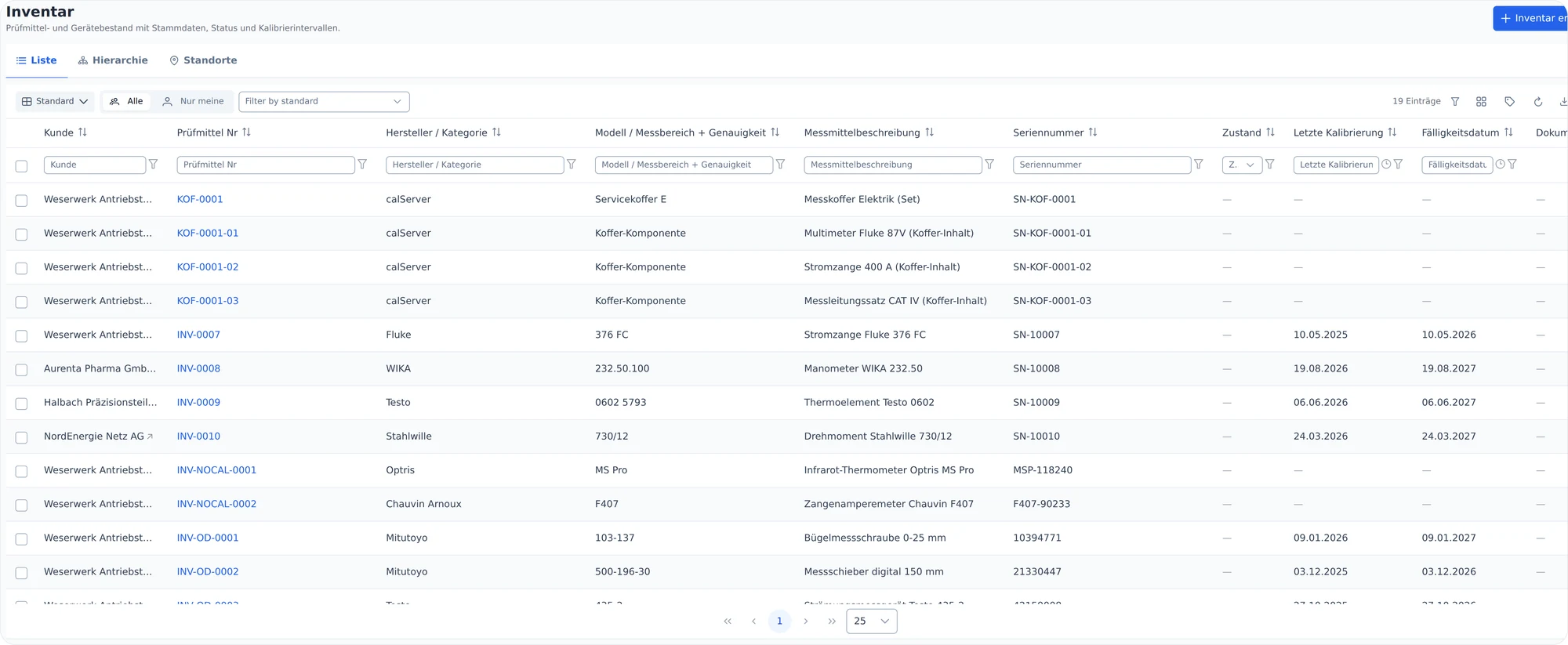
Once connected, your instruments appear in calServer with customer, equipment number, serial number, last calibration and due date. Filtering, sorting, exporting and saving views work from day one, even while some of your people still work in MET/TEAM®.

calServer inventory list with customer, equipment number, manufacturer, serial number, last calibration and due date

History

Every calibration keeps its MET/TEAM® reference

Calibrations come with readings, reference standards and test steps. The CallSheet ID and the return status from MET/TEAM® stay on the record, so every certificate can be traced back to its origin, even after disconnecting.

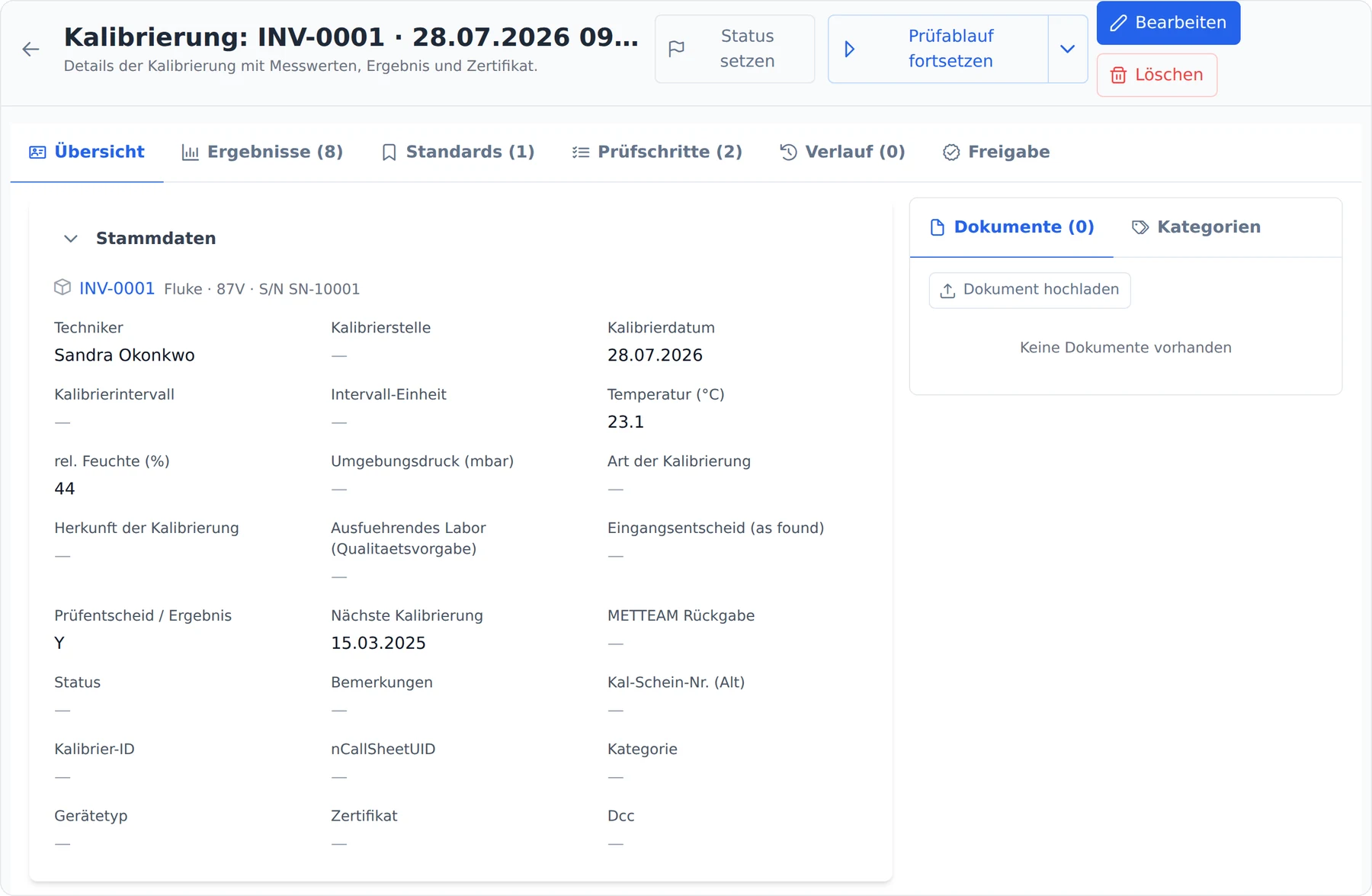
calServer calibration detail with master data, technician, ambient conditions and the fields METTEAM return and nCallSheetUID

Why not just keep working on the MET/TEAM® database?

A new interface on top of the old database sounds convenient: no migration, everything stays where it is. The price is that your data stays permanently in the data model of a product that is no longer being developed. New fields, new requirements from standards or a different database server then only work around the old data model.

calServer takes the other route. During the transition MET/TEAM® stays connected, but your people already work in calServer. In the end the data sits in a maintained data model and in the database your IT chooses, in house or with us.

That is more work than swapping the interface. In return, it is the last switch you have to make because of MET/TEAM®.

How the guided migration works

Each step can be checked on its own, and you can stop at any time.

  1. 1

    Assessment

    Step 1

    How many MET/TEAM® databases, sites, users and procedures are there? This gives the schedule and the route that suits you.

  2. 2

    Connect and take a look

    Step 2

    calServer is connected to your MET/TEAM® database, first in a test environment. You see your instruments and history in calServer before anything happens in production.

  3. 3

    Parallel operation

    Step 3

    The sync runs in both directions. Whoever has switched works in calServer, everyone else in MET/TEAM® as usual.

  4. 4

    Samples and training

    Step 4

    You check samples against MET/TEAM®, and we train users and administrators on your real test equipment.

  5. 5

    Disconnect

    Step 5

    From a cut-off date, everyone works in calServer. The sync is switched off, and the helper tables in the MET/TEAM® database are removed.

Questions about switching from MET/TEAM®

What happens to our calibration history?
It comes along. Instruments, calibrations with result lines, customers and locations are part of the sync. History cannot be entered again, so it comes first.
We have several MET/TEAM® databases. Does that work?
Yes. calServer syncs with any number of databases and merges them into one inventory. Each database keeps its own IDs, and calServer keeps track of the mapping.
What changes in our MET/TEAM® database?
For the ongoing sync, calServer creates its own helper tables and database routines that hold the sync status. Existing MET/TEAM® tables keep their structure unchanged. If you do not want that, choose the one-time migration without sync.
And MET/CAL®?
It stays. calServer manages your MET/CAL® procedures with versions and approval, and you start the approved version directly from the calibration. While MET/TEAM® is running, the start goes through a work order there; afterwards directly with the procedure file at the workstation. We clarify how this is set up at your workstations during the assessment.
How long does the switch take?
That depends on sites, data volume and the condition of the old data. After the assessment we give you a schedule instead of guessing. Parallel operation takes away the pressure of hitting a cut-off date.
Do we have to go to the cloud?
No. calServer runs on your own servers or hosted by us. You decide.

MET/TEAM® end of support

Plan your switch with lead time.

A conversation about your MET/TEAM® setup takes an hour and gives you a schedule.

MET/TEAM®, MET/CAL® and MET/CONNECT® are registered trademarks of Fluke Corporation. calServer is an independent product of calHelp and is not affiliated with Fluke. The dates come from Fluke's MET/TEAM® status page and the MET/TEAM® support schedule, retrieved on 2026-10-27; Fluke's current information is what counts.